

logiccloud Portal
Getting started
Section titled “Getting started”To get started with logiccloud, you need to create an account and log in to the logiccloud portal.
Creating logiccloud account
Section titled “Creating logiccloud account”To create a logiccloud account, please register your free account at https://logiccloud.com.
logiccloud Portal
Section titled “logiccloud Portal”After logging in to your logiccloud portal, you will find the home screen as follows:
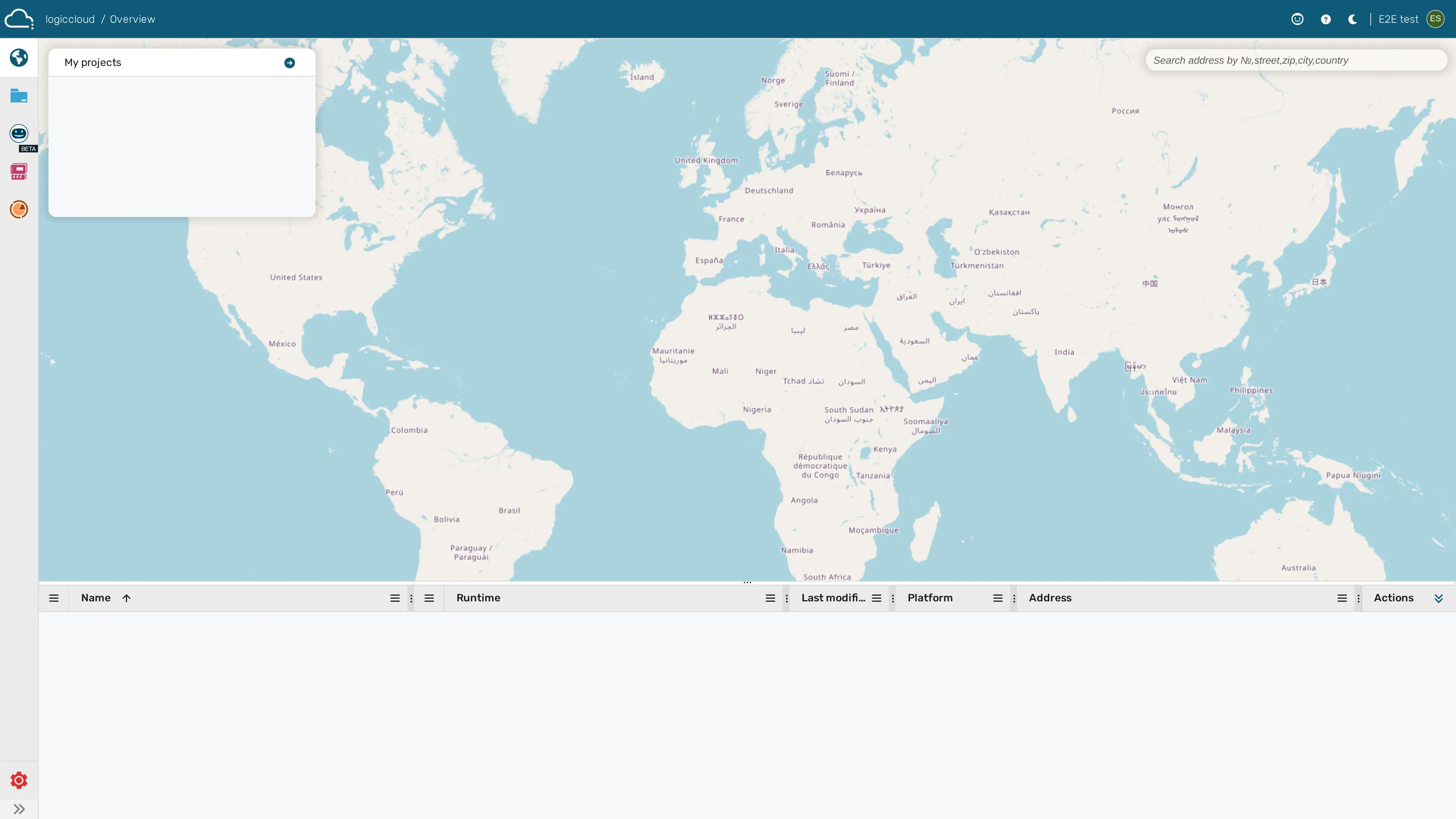
From here, you can use the Main navigation on the left hand side to navigate inside logiccloud.
The next steps from here with logiccloud would be:
- Inviting colleagues if needed
- Creating a first project
- Adding a runtime
- Adding a device
- Running the project on that device
You can follow this documentation if you need guidance on any topic.
Under logiccloud approved devices you can find specific guides for devices of our partners, e.g. WAGO, Bosch RexRoth, Insys, Perinet and many more.
To install the runtime on a Linux edge device (such as a Raspberry Pi), use the one-line installer shown in the portal when you add a device. The portal generates the correct command for your environment, and the installer auto-detects Docker or Podman, applies log-rotation defaults, and starts the container for you. See Setting up the device for the full walkthrough.